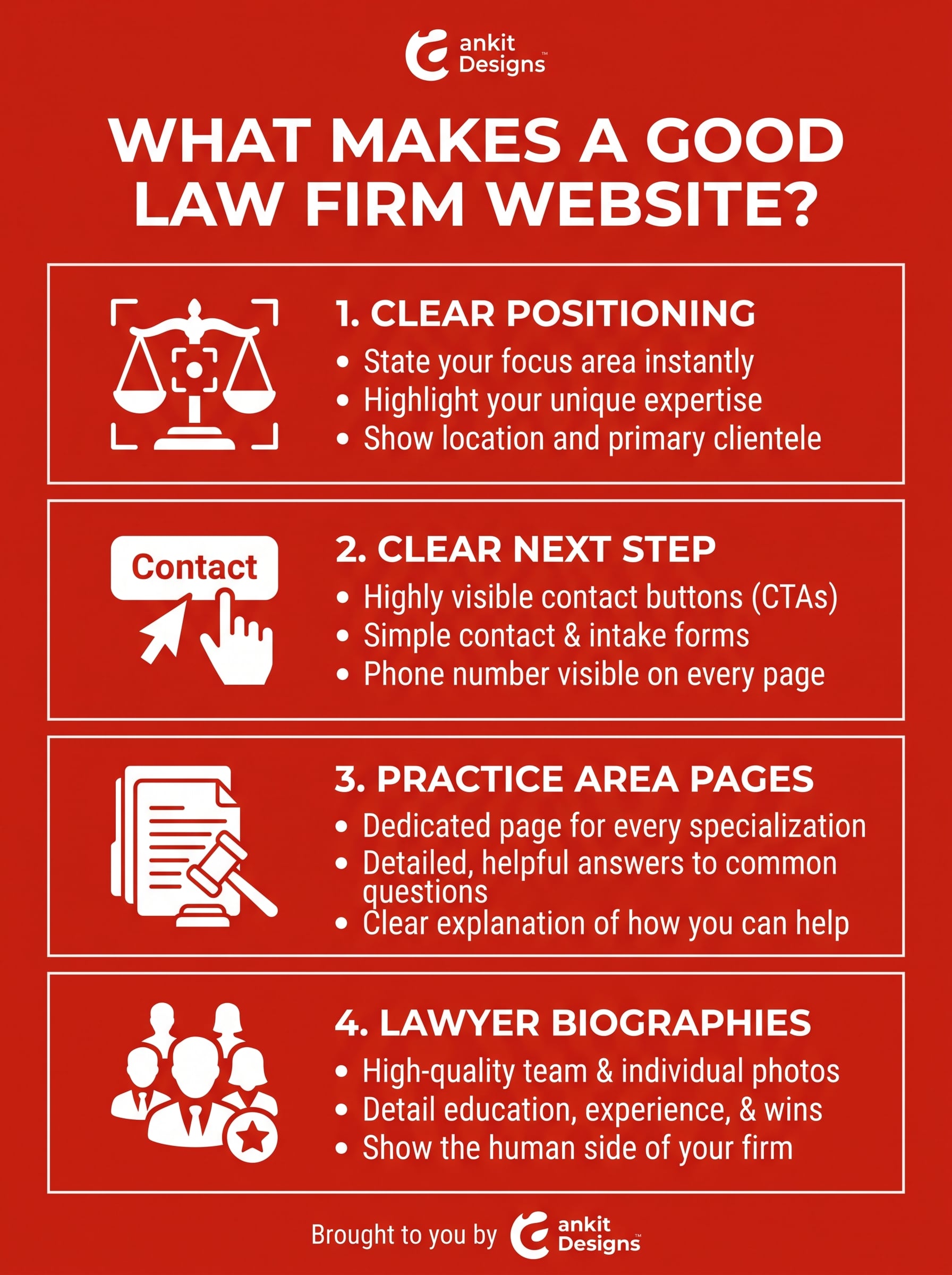
What Makes a Good Law Firm Website?

By Adam

What Makes a Good Law Firm Website?

What Makes a Good Law Firm Website?

A good law firm website helps visitors understand whether you handle their legal needs, why they should trust your team, and how to contact you. Clear practice area pages, credible lawyer biographies, easy navigation, and a straightforward enquiry process all support that decision.

Different visitors need different information. Someone referred to a specific lawyer may head straight to their biography. A business owner comparing firms may want relevant experience and a clear explanation of services.

Effective web design for law firms connects those needs with the way your firm works. This guide explains what to look for when reviewing your current website or choosing a partner for a redesign.

What Makes a Good Law Firm Website

Clear Positioning That Shows Who Your Firm Helps

Visitors should quickly understand whether your firm handles their type of legal matter. Make that information easy to find on your homepage and reinforce it throughout your practice area pages.

Explain Your Practice Focus, Clients, and Jurisdictions

State the services you offer, who you work with, and where your lawyers practise. A firm advising small businesses needs different messaging from one helping individuals with family law matters.

Replace broad statements such as “Legal solutions you can trust” with concrete information. For example, a business law firm could describe its work on incorporation, commercial agreements, and business purchases, provided those services reflect its actual practice.

Highlight distinctions you can support, such as languages spoken, relevant industry experience, or how your team communicates with clients. Keep credentials and geographic claims accurate.

Give Visitors a Clear Next Step

Match each call to action to what your firm can deliver. Use “Request a Consultation” when staff must review the enquiry before confirming an appointment.

Place that action beside relevant information and explain what happens next. Tell visitors how your team will respond, whether consultation fees apply, and what initial details they should provide.

Practice Area Pages That Answer Real Client Questions

A practice area page should help visitors decide whether your firm handles their situation. Give each distinct service enough space to explain its scope, the people involved, and the next step.

Explain Your Services and What Clients Can Expect

Start with the questions your intake team hears most often. Someone researching estate planning may want to know which documents the firm prepares, how the process works, and what to bring to an initial meeting.

Each practice area page should explain:

  • Who the service helps: Identify relevant individuals, businesses, or situations.
  • What the work covers: Describe the services offered and important limitations.
  • How the process starts: Explain the initial discussion and any preparation required.
  • How to enquire: Provide a clear contact option with realistic expectations.

Use plain language and have a lawyer review substantive legal information before publication. Assign someone to check it when the law or your services change.

Connect Practice Areas to Relevant Lawyers

Link each practice area to the lawyers who handle that work. Help visitors move from understanding the service to reviewing the people who may assist them.

Highlight relevant, verified experience rather than repeating a full biography. For a commercial leasing page, for example, identify the team members who advise on lease negotiations if that reflects their actual work.

Lawyer Biographies and Evidence That Build Trust

Visitors want to know who may handle their matter and what makes that person a suitable choice. Give them specific, verifiable information they can assess before contacting your firm.

Show Verified Qualifications and Professional Experience

A useful lawyer biography connects professional credentials to the work the lawyer does. Include:

  • Current role and practice areas: Explain their responsibilities and legal focus.
  • Professional qualifications: Verify admissions, education, and any stated designations.
  • Relevant experience: Describe industries, types of matters, or publications without revealing confidential information.
  • Contact details and languages: Help visitors identify the appropriate person to approach.

Use current photographs and explain experience in plain language. A business owner reviewing a lawyer’s profile should be able to understand whether their work includes commercial agreements, transactions, or other relevant services.

Use Authentic Testimonials and Approved Case Examples

Choose evidence that helps visitors understand your firm’s approach. A permitted testimonial about communication can illustrate the client experience; an approved case example can explain the work involved in a particular matter.

Have your firm review publication permissions, confidentiality, and applicable professional rules before publishing either. Preserve the meaning of quoted feedback and provide context for any stated result.

When assessing a website designer, ask for the same level of evidence: relevant projects, a clear explanation of their role, and documented testing.

Navigation and Mobile Design That Make Tasks Easy

A good law firm website helps visitors find relevant information without guessing where to look. Organize pages around common tasks, such as exploring a practice area, reviewing a lawyer’s background, or contacting the office.

Help Visitors Find Services, Lawyers, and Contact Details

Use familiar navigation labels such as Practice Areas, Our Lawyers, About, Resources, and Contact. Keep labels consistent across desktop and mobile layouts.

Give existing clients a clear route to any client portal, separate from new consultation requests. On larger websites, consider search and filters that help visitors find lawyers by practice area, office, or language.

Test realistic tasks on a phone. Can someone read a biography, return to the relevant service page, and find contact details without losing their place?

Include Accessibility and Performance Testing

Include these checks in your design brief:

  • Keyboard navigation: Menus, links, and forms work with a visible focus indicator.
  • Readable content: Text has sufficient contrast and remains usable when enlarged.
  • Clear forms: Fields have labels, and errors explain how to correct a submission.
  • Useful alternatives: Meaningful images have appropriate alt text, and video content has suitable captions.

W3C’s introductory checks can help identify barriers, but they do not replace a complete accessibility evaluation.

Test page performance across representative devices and connections. Review large photographs, videos, and third-party tools when investigating delays.

A Clear Consultation and Client Intake Process

Your website should make contacting the firm straightforward and explain what happens afterwards. Plan the enquiry process around the information your staff needs and the steps they can reliably deliver.

Explain What Happens After Someone Contacts Your Firm

Use action labels that match the process. “Request a Consultation” is appropriate when staff must review an enquiry before offering an appointment. Explain any consultation fees and give a realistic response window.

Keep initial forms focused on essential details, such as contact information, general matter type, and jurisdiction. Have the firm approve instructions about what visitors should share and when to use a separate channel for sensitive documents.

An acknowledgement should confirm receipt and explain the next step. Clearly distinguish submitting an enquiry, confirming a consultation, and establishing a lawyer-client relationship, using wording approved by the firm.

Connect Forms and Scheduling Tools to Staff Workflows

Assign each enquiry to a monitored inbox or intake system, with a named person responsible for follow-up.

Before approving an integration, confirm:

  • Which fields transfer and who can access them.
  • How notifications and failed submissions are handled.
  • Whether scheduling requests require staff approval.
  • What subscriptions and ongoing support are needed.

Test the complete journey, including staff notifications and customer-facing messages. Include these requirements when discussing forms and integrations with Ankit Designs.

Useful Content and Accurate Local Search Information

A good law firm website helps visitors find relevant information and understand where your lawyers can assist them. Keep service descriptions, office details, and educational resources accurate as your practice changes.

Publish Clear, Reviewed Legal Information

Build resources around questions your clients actually ask. Explain relevant processes and terminology in plain language, while keeping general information distinct from advice about an individual matter.

Assign a lawyer to review substantive legal content. Identify the relevant jurisdiction, add review dates where useful, and schedule checks when legislation or your services change.

Give pages descriptive titles and headings, link related resources, and make important content easy to reach through navigation. Ask your developer to check that public pages can be crawled and indexed.

Describe Actual Offices and Jurisdictions Served

Distinguish your office locations from the jurisdictions where your lawyers practise. Verify both before publishing location claims.

For offices that receive visitors, provide:

  • The full address, suite number, and appointment requirements.
  • Accurate opening hours and contact details.
  • Useful parking, transit, and entrance directions.
  • Verified accessibility information.

Create dedicated location pages when you have distinct information to offer, such as the lawyers based there, services available, and practical visiting details. Keep business information consistent with your firm’s Google Business Profile.

Ownership, Security, and Support After Launch

A good law firm website needs clear responsibilities after launch. Your team should know who controls the accounts, who maintains the site, and whom to contact when something stops working.

Confirm Account Access and Content Ownership

Before approving a website proposal, confirm your firm’s rights to its content, design assets, and website files. Ask which elements depend on third-party licences or the provider’s platform.

Keep a record of:

  • Domain and hosting: Account owners, renewal dates, and access arrangements.
  • Website administration: Staff permissions and recovery contacts.
  • Connected tools: Ownership of forms, scheduling, analytics, and integrations.
  • Handover terms: What transfers if your firm changes providers.

Have staff practise routine updates before handover, including editing biographies and practice area pages.

Assign Maintenance, Backups, and Support Responsibilities

Define who handles software updates, monitoring, backups, and recovery. Ask how restoration is tested and how support requests are prioritized.

Review what information forms and connected tools collect, where it goes, and who can access it. Have the appropriate advisers assess privacy and professional obligations.

Ankit Designs’ CareKit offering includes WordPress updates, backups, monitoring, and support. Compare the proposed scope with your firm’s requirements and confirm any additional costs.


What Makes a Good Law Firm Website

Evaluate Your Website Against Clear Requirements

Review your website by asking people to complete real tasks. Record where they hesitate, what information is missing, and which functions fail. Use those findings to prioritize improvements.

Use a Practical Law Firm Website Checklist

Requirement Task to test Acceptance check
Clear positioning Identify the firm’s services and jurisdictions. Visitors can explain whether the firm handles their type of matter.
Useful lawyer profiles Find a lawyer connected to a practice area. Relevant qualifications, experience, and contact details are easy to locate.
Mobile usability Navigate from a service page to the enquiry form. Menus, text, buttons, and fields remain usable on a phone.
Reliable intake Submit a test consultation request. Staff receive the correct details, and the acknowledgement explains the next step.
Staff editing Update a biography or office detail. An authorized staff member can complete the task after training.

Measure enquiries, qualified consultations, and retained matters separately. A form submission alone does not show whether the website attracted a suitable client.

Ask the Right Questions Before Hiring a Website Designer

Ask who handles content, development, testing, and approvals. Confirm account ownership, training, recurring costs, and support arrangements.

When discussing web design for law firms with Ankit Designs, use your checklist to define how its editing tools, testing, and integrations should work for your team.

Frequently Asked Questions

What Pages Should a Law Firm Website Have?

Start with a homepage, practice area pages, lawyer biographies, an About page, and a Contact page. Include appropriate privacy information and firm-approved notices.

Add resources, office pages, or client tools when they serve a clear purpose. A smaller firm can combine related information where visitors can still find it easily.

Does a Small Law Firm Need a Custom Website?

A small firm may be well served by a carefully configured template if it supports its content, branding, accessibility, and intake requirements.

Custom development becomes useful when the firm needs layouts or functions that an existing system cannot adequately support. Compare options against your actual needs, editing responsibilities, and ongoing costs.

How Do You Know Whether Your Website Needs a Redesign?

Look for recurring problems: visitors cannot identify your services, mobile navigation is difficult, enquiries fail to reach staff, or your team struggles to update information.

Some issues need targeted fixes. Wider problems with structure, technology, or account access may justify a rebuild. Ask a designer to explain what should change, what can be retained, and how existing pages will be handled.

Plan Your Law Firm Website With Ankit Designs

Turn Your Firm’s Requirements Into a Clear Project Scope

Your website should reflect how your firm serves clients, from explaining practice areas to handling consultation requests.

Bring your current website, practice-area list, and intake requirements to Ankit Designs. Discuss how its WordPress development, form integrations, pre-launch testing, and ongoing support can address your priorities.

Use the checklist above to define what the project must deliver and how your team will verify it.

Explore Web Design for Law Firms

Get in touch with our team today to schedule a consultation and discover how we can create a website tailored to your business goals.

About the author

I'm nobody's taxi service but I take pride in driving the bus! Upbeat, energetic serial entrepreneur on the quest to serve and help people. I enjoy long walks on short beaches and adventurous, adrenaline-pumping activities. I'm a normal bloke doing abnormal bloke things!
Read more posts by Adam
Phone Icon
Call Us
Contact Icon
Contact