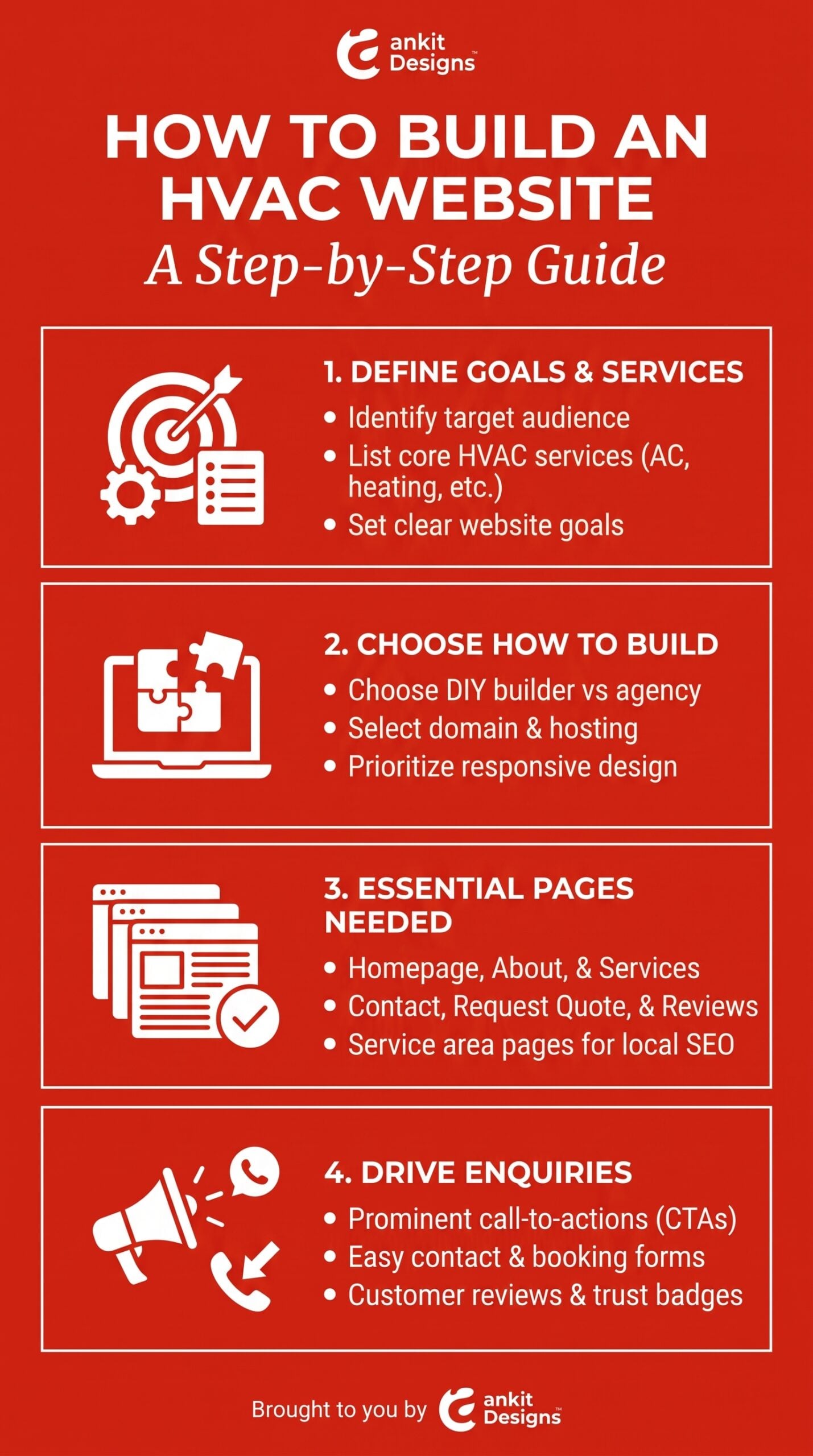
How to Build an HVAC Website: A Step-by-Step Guide

By Adam

How to Build an HVAC Website: A Step-by-Step Guide

How to Build an HVAC Website

Your HVAC website should help customers answer three questions: Do you offer the service I need, do you serve my area, and how can I reach you?

Someone with a broken furnace needs a clear way to call. A homeowner comparing heat pump installations needs service details, evidence of your work, and a straightforward way to request an estimate. Your website should support both journeys.

Effective HVAC website design brings those needs together with clear pages, mobile-friendly layouts, and enquiry tools your office can manage.

This guide walks through the process, from defining your services and choosing a website partner to testing enquiries and preparing for launch. Use it to plan a new website or identify what your current site needs to improve.

How to Build an HVAC Website

Define Your Customers, Services, and Website Goals

Before choosing a layout, list the services you offer, where you work, and which enquiries you want the website to generate. These decisions shape your pages, navigation, and contact options.

Separate Emergency Repairs From Planned Installations

An urgent repair customer needs to find your phone number, service coverage, and availability quickly. Someone planning a furnace replacement may want equipment options, installation details, and examples of completed work before requesting an estimate.

Build clear paths for your main customer needs:

  • Repairs: Explain the systems you service and how to request help.
  • Installations: Describe your assessment process and how to arrange an estimate.
  • Maintenance: Outline what the service includes and how to enquire.
  • Commercial work: Identify the properties and systems your team supports, where applicable.

Only advertise emergency or after-hours service when your team actually provides it.

Match Website Actions to Your Office’s Capacity

Choose calls to action that reflect what happens next. Use “Request Service” when staff must review the enquiry. Reserve “Book an Appointment” for a system that confirms an available slot.

Assign someone to receive each enquiry, define a realistic response window, and explain what customers should do outside office hours.

Choose How to Build Your HVAC Website

The right build option depends on your budget, staff time, and what the website needs to do. Compare who will handle content, integrations, testing, and support alongside the initial price.

Compare Website Builders, Freelancers, and Agencies

Use this table as a starting point, then check each provider’s actual scope.

Build option When to consider it What to confirm
DIY website builder You have time to build and manage a straightforward site. Editing limits, booking integrations, export options, and subscription costs.
Freelancer You want direct support for a clearly defined project. Content responsibilities, testing, availability, and post-launch support.
Agency You need coordinated planning, writing, design, and development. Which services are included, who manages delivery, and how changes are handled.

Ask potential partners to walk through a complete customer journey. Can a mobile visitor find furnace repair, confirm coverage, and send a request that reaches your office?

For an Ankit Designs proposal, ask how its WordPress development, pre-launch testing, and integration services would apply to your specific requirements.

Confirm Budget, Ownership, and Ongoing Costs

Request an itemized quote separating the website build from hosting, paid tools, content, maintenance, and future changes. Check whether booking or CRM connections require additional subscriptions.

Confirm who controls your domain, hosting, website files, and connected accounts. Ask what you can take with you if you change providers and which features depend on their platform.

homepage, service pages, service-area information, an About page, customer proof, and clear contact options.

Create Clear Pages for Repairs, Installations, and Maintenance

Give a service its own page when customers need distinct information to make a decision. Furnace repair and furnace installation, for example, involve different concerns and next steps.

Each HVAC service page should explain:

  • What you offer: The work your team handles and any service limitations.
  • Equipment supported: Relevant system types and verified brand capabilities.
  • What happens next: How assessment, scheduling, or estimate requests work.
  • Why customers can trust you: Relevant credentials, approved reviews, and real project photographs.

Include heat pumps, air conditioning, maintenance plans, or commercial systems only when your company offers them. Link related services where the connection helps visitors.

Build Service-Area Content Around Actual Coverage

Help customers confirm whether you serve their address. Describe your real coverage boundaries and explain any differences in service availability.

Create dedicated location pages when you have useful, distinct information to share. Include completed projects, relevant customer questions, and practical details about serving that community.

For example, a heat pump installation project could explain the homeowner’s comfort needs, the equipment selected, and how the team addressed space or installation constraints. Use an actual project and name the neighbourhood only with the customer’s permission.

Keep location information accurate. Confirm emergency coverage separately, and identify public-facing offices only where they exist.

Build Trust With Real HVAC Experience

Customers need evidence that your company can handle their heating or cooling needs. Use your HVAC website to show who does the work, what experience they bring, and what customers can expect.

Show Verified Credentials, Technicians, and Completed Work

Publish accurate licence, certification, and insurance information where relevant. Explain what each credential covers, and use manufacturer badges only when your company holds the stated status and has permission to display them.

Introduce your team with real photographs and clear roles. Add project examples that explain:

  • The customer’s heating or cooling requirements.
  • The equipment installed or work completed.
  • Any site constraints your technicians addressed.
  • The outcome supported by your project records.

Give each project useful local context by describing the property type, service area, and installation requirements. A furnace replacement case study, for example, could explain how the team assessed the home’s heating needs, checked available installation space, and planned equipment access. Include the neighbourhood and project photographs when you have the customer’s permission.

Use Authentic Reviews and Approved Case Studies

Place relevant reviews near the services they describe. A furnace repair review belongs beside repair information; an installation case study can help someone evaluating a replacement.

Preserve the reviewer’s meaning, identify the source, and follow its reuse rules. Keep claims about savings, response times, and results tied to evidence.

When evaluating a website designer, apply the same standard. Ask to see relevant work and have the provider explain its role, design decisions, and testing.

Design for Mobile Visitors and Easy Enquiries

A mobile-friendly HVAC website should make everyday tasks straightforward. Customers need to read service details, check coverage, and contact your team without struggling with menus or forms.

Make Calling and Requesting Service Straightforward

Keep a clearly labelled phone number within easy reach, especially on repair pages. If you use a fixed call button, check that it leaves page content and form controls visible.

Match each action to the customer’s needs:

  • Call for Repair: Show operating hours and actual after-hours arrangements.
  • Request an Estimate: Explain what information your team needs to assess the enquiry.
  • Request Maintenance: Describe how staff will follow up about availability.

Keep forms focused. Ask for contact details, the service address or area, and a short description of the request. Explain what happens after submission and provide helpful error messages.

Include Accessibility and Performance Testing

Ask your designer to check keyboard navigation, visible focus, readable contrast, labelled fields, and appropriate image alternatives. Include embedded booking tools in the review.

Use W3C’s accessibility guidance to inform testing, with manual evaluation alongside automated checks. Basic checks can reveal barriers, but they cannot establish full accessibility.

Test complete customer journeys on different phones and connection speeds. Review oversized images, background videos, and third-party widgets when investigating slow pages. Confirm that menus, call links, and forms remain usable throughout.

Connect Your Website to Your Office Workflow

A website enquiry needs a clear destination and someone responsible for responding. Plan what happens between the customer submitting a request and your team confirming the next step.

Distinguish Service Requests From Confirmed Bookings

An HVAC online booking tool should make its status clear. If staff must check technician availability, tell customers they are submitting a request and waiting for confirmation.

For a system that confirms appointments, check how it handles service areas, job types, appointment lengths, and available staff. Explain what customers should do when they need urgent help outside the available slots.

Confirmation messages should state:

  • Whether the appointment is requested or confirmed.
  • When and how the customer can expect a response.
  • How to contact your office with changes or questions.

Route Enquiries to Your CRM or Dispatch Team

Map each form to its destination: a monitored inbox, CRM, or field-service platform. Assign an owner for follow-up and agree on a backup process when that person is unavailable.

Before approving an HVAC CRM integration, ask the provider to confirm supported fields, subscription requirements, duplicate handling, and failure alerts.

Test the full workflow. Check that the enquiry arrives with the correct details, staff receives a notification, and the customer receives the expected acknowledgement.

Set Up Local SEO and Meaningful Measurement

Your HVAC website should help nearby customers find relevant services and give your team a clear way to measure enquiries. Include search foundations and tracking in the build scope before launch.

Establish Search-Friendly Content and Business Details

Give each service page a descriptive title, a clear main heading, and useful information about the work offered. Link related services and make important pages accessible through your navigation.

Ask your developer to check that public pages can be crawled and indexed. Google’s Search Essentials provides the baseline requirements and recommended practices; meeting them does not guarantee rankings.

Keep your business name, phone number, hours, and service coverage accurate across your website and Google Business Profile. Specify the cities and neighbourhoods you serve, clarify coverage limits, and explain whether emergency service is available throughout that area.

Support location information with real project examples. Describe the property type, customer’s needs, and work completed, naming the neighbourhood when you have permission. These details help visitors assess whether your team handles similar work near them.

Track Calls, Forms, and Bookings Separately

Define what each tracked action means:

  • Phone-link click: Someone selected the call button.
  • Form submission: A service or estimate request was successfully sent.
  • Confirmed booking: Your scheduling system or staff accepted an appointment.

A phone-link click does not confirm a connected call or booked job. Review website activity alongside office records to understand enquiry quality.

Test tracking before launch, and keep names, phone numbers, addresses, and enquiry text out of analytics events.


How to Build an HVAC Website

Test, Launch, and Maintain Your HVAC Website

Before launch, confirm that customers can complete the tasks your website promises. Assign someone to review the content, test the enquiry process, and approve the site for publication.

Complete a Practical Pre-Launch Checklist

Test representative pages on phones and desktop browsers. Include:

  • Contact options: Check phone links, forms, acknowledgements, and staff notifications.
  • Booking tools: Confirm availability rules and the difference between requests and confirmed appointments.
  • Content: Verify services, coverage, hours, credentials, and promotional terms.
  • Navigation: Check menus, internal links, downloads, and error pages.
  • Measurement: Confirm that successful actions appear correctly in reporting.

For a redesign, map old URLs to relevant new pages and test redirects. Check that launch settings allow public pages to be indexed, then repeat key tests on the live website.

Plan Staff Training, Updates, and Ongoing Support

Have staff practise updating service information, replacing images, and checking enquiries before handover. Document account access, renewal dates, and who handles technical problems.

Agree on responsibility for software updates, backups, monitoring, and recovery. Ask what support includes, how to request help, and which changes cost extra.

Ankit Designs’ CareKit offering includes ongoing WordPress maintenance and support. Confirm the proposed package’s scope against your website’s needs.

Frequently Asked Questions

How Much Does HVAC Website Design Cost?

The cost depends on the number of pages, content requirements, custom features, integrations, and support included. A DIY subscription and a professionally managed build cover different responsibilities.

Request an itemized quote in CAD. Separate the initial build from hosting, software subscriptions, maintenance, and future changes so you can compare the full cost.

How Long Does It Take to Build an HVAC Website?

Your timeline depends on project scope, content readiness, integrations, and how quickly your team reviews the work.

Ask for milestones covering planning, design, development, testing, and launch. Confirm who supplies photographs, service details, and approvals, since missing materials can delay delivery.

Is WordPress a Good Choice for HVAC Companies?

WordPress can suit HVAC companies that need editable service pages, project examples, and integrations. Its suitability depends on how the site is built and who maintains it.

Ask your provider to demonstrate routine editing tasks and explain hosting, updates, backups, and support before choosing the platform.

Should You Redesign Your Website or Improve Specific Pages?

Start by identifying the problems. Unclear service information or a broken form may need focused fixes. Wider issues with mobile usability, site structure, editing access, or integrations may justify a rebuild.

Ask the provider to explain what can be retained, what needs replacing, and how existing content and URLs will be handled.

Plan Your HVAC Website With Ankit Designs

Bring Your Services, Coverage, and Website Goals Together

Build your next website around how customers find help and how your office handles enquiries. Bring your service list, coverage area, current website, and booking requirements to Ankit Designs to discuss a clear project scope.

Ask how its WordPress development, integration services, and pre-launch testing can support your priorities, from explaining your services to getting requests to the right person.

Explore HVAC Website Design

Get in touch with our team today to schedule a consultation and discover how we can create a website tailored to your business goals.

About the author

I'm nobody's taxi service but I take pride in driving the bus! Upbeat, energetic serial entrepreneur on the quest to serve and help people. I enjoy long walks on short beaches and adventurous, adrenaline-pumping activities. I'm a normal bloke doing abnormal bloke things!
Read more posts by Adam
Phone Icon
Call Us
Contact Icon
Contact