How to Make an Auto Repair Website Customers Can Use
How to Make an Auto Repair Website Customers Can Use
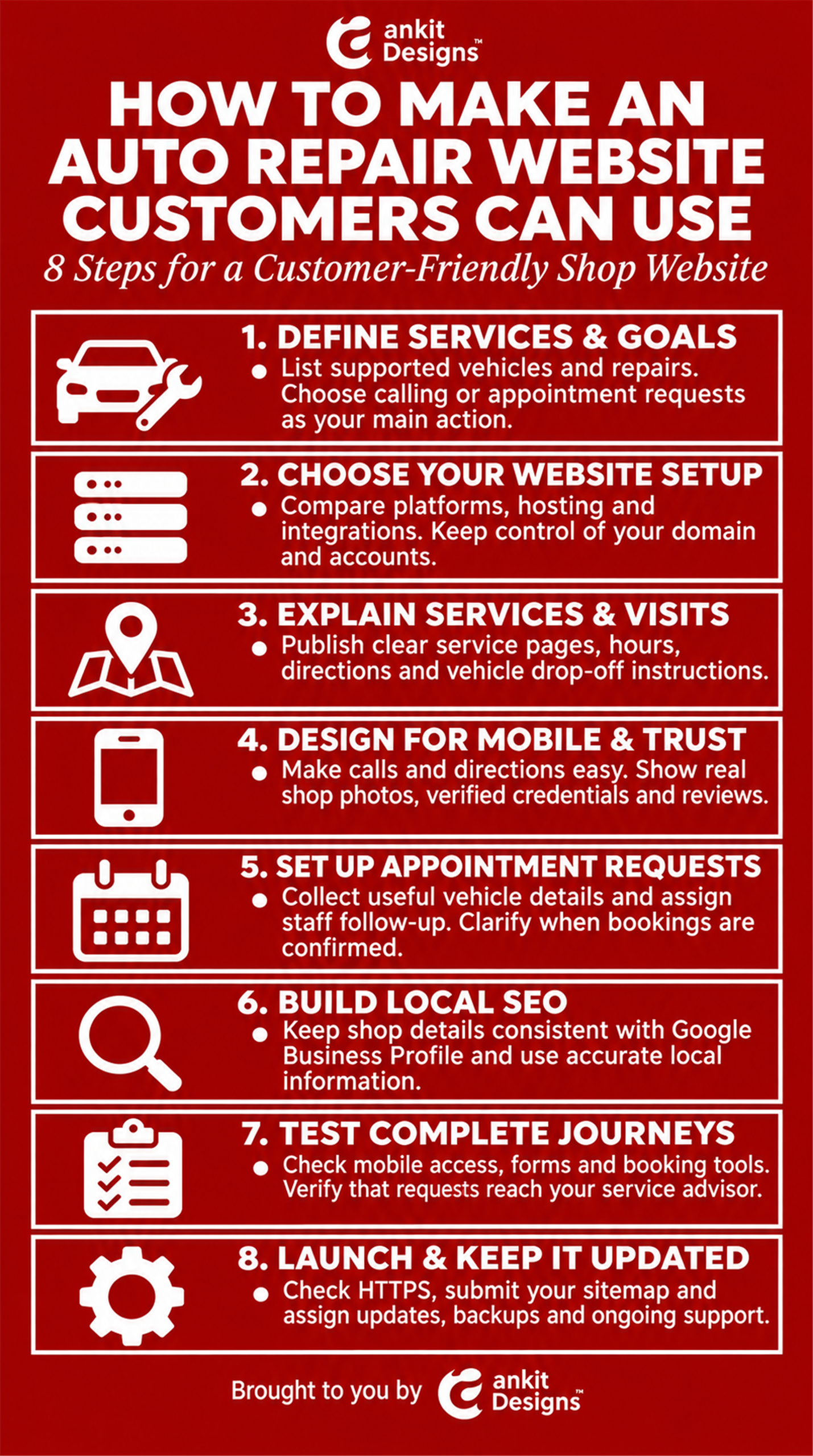
To make an auto repair website, define your services, choose a platform, organize your pages, and build a clear path to contacting your shop. Add accurate vehicle capabilities, business hours, location details, and appointment options.
For a Milton repair shop, the website should answer practical questions: Do you service this vehicle? Where is the entrance? Can someone request a convenient appointment? This guide covers eight stages to help you compare DIY work with professional support and prepare a website your team can manage
Define Your Shop’s Services and Website Goals
Start your auto repair website design by listing what your shop offers and what customers need to know before contacting you. Ask your service advisors which questions they answer most often. Use those questions to guide your content and decide which customer actions the website should make easier.
Identify Your Services, Vehicles, and Customers
Document your actual capabilities, including:
- Services: Repairs, diagnostics, maintenance, tires, or inspections you provide.
- Vehicles: Makes, models, fuel types, and fleet vehicles your team accepts.
- Limitations: Work you refer elsewhere or services requiring advance arrangements.
Specify whether you serve individual drivers, commercial fleets, or both. Describe specialties only when your equipment and team support them.
Choose Your Main Customer Action
Decide whether visitors should call, request an appointment, or submit a service enquiry. Choose a primary action that fits how your shop handles new customers.
Use that decision to guide prominent buttons and page layouts rather than giving every possible action equal emphasis.
Choose a Build Method, Domain, and Hosting
Choose your website setup around the tasks your shop needs to manage. List requirements such as service pages, appointment requests, customer reviews, and connections to existing software.
Compare options against those requirements to assess both price and workload.
Compare DIY Tools With Professional Website Development
An auto repair website builder may suit a shop that can prepare its content and manage the setup internally. Professional development can help when you need coordinated planning, custom layouts, or more complex functionality.
|
Approach |
What to confirm |
|
DIY website builder |
Editing tools, booking features, subscription costs, and export options. |
|
WordPress website |
Hosting, plugins, maintenance, staff access, and training. |
|
Professional build |
Content responsibilities, design, integrations, testing, and support. |
If you use shop management software, check compatibility before selecting a platform. Ask what information transfers, whether staff must enter it again, and which subscriptions are required.
When comparing website design and development services, confirm which requirements are included in the proposal.
Keep Control of Your Domain and Accounts
Your domain is the website address; hosting provides the infrastructure that serves its pages. Business email may be a separate service even when bundled with hosting. Ankit Designs’ guide to what web hosting is explains this part of your website setup.
Use business-controlled contact details for account registration. Record renewal dates, fees, recovery options, and authorized users. Confirm what can transfer if you change providers.
Build Clear Service Pages and Shop Information
Plan pages around what drivers need to know before contacting your shop. Start with a homepage, service information, an About page, customer reviews, contact details, and an appointment-request option.
Give a service its own page when customers need distinct information about it. Keep navigation labels familiar, such as “Services,” “About Our Shop,” and “Contact.”
Explain Repairs, Maintenance, and Vehicle Capabilities
Each auto repair service page should explain:
- Work offered: Describe the repairs, inspections, or maintenance included.
- Vehicles supported: Identify relevant makes, models, and technologies accurately.
- What happens next: Explain assessment, estimate, and appointment procedures.
- Relevant evidence: Include verified qualifications and approved photographs or reviews.
Use plain language rather than assuming drivers understand technical terms. A diagnostics page can explain how customers describe a concern and how the shop investigates it. Avoid presenting a website enquiry as a confirmed diagnosis or final repair price.
Publish prices, diagnostic fees, and warranty terms only after the shop approves their accuracy and conditions.
Make Visiting and Dropping Off a Vehicle Straightforward
Publish your full address, unit number, opening hours, and phone number. Add practical directions when the entrance is difficult to identify.
Explain where customers should park and whether they need an appointment before leaving a vehicle. Describe key-drop and after-hours collection arrangements only when your shop offers them.
Design for Mobile Visitors and Customer Trust
A mobile-friendly auto repair website should help drivers check your services and contact the shop without difficulty. Review the layout on phones rather than relying only on a desktop preview.
Make text readable, menus easy to open, and buttons easy to select. Check that fixed banners or call buttons leave important content visible.
Make Calling, Directions, and Service Information Easy to Find
Place a clearly labelled phone link near relevant service information. Make directions accessible from the contact page and check that the map points to the correct entrance.
Use descriptive buttons such as “Call the Shop” or “Request an Appointment.” Keep the route from a service page to the relevant contact option short and clear.
Show Real Shop Photos, Verified Credentials, and Customer Reviews
Use current photographs of your reception area, service bays, and team to show customers what to expect. Verify qualifications and obtain permission before displaying membership or manufacturer logos.
Place relevant reviews near the services they describe, preserving their meaning and identifying the source. Obtain permission to reuse reviews and customer photographs, and remove visible personal details where needed.
Set Up Appointment Requests and Staff Follow-Up
Your appointment process should explain what customers are submitting and what your team will do next.
Use “Request an Appointment” when staff must review availability before confirming a slot. Provide an acknowledgement that explains the next step and gives realistic response expectations based on your operating hours.
Ask for Useful Vehicle and Service Information
A vehicle service enquiry form can collect:
- Contact details: Name and a preferred way to respond.
- Vehicle information: Year, make, and model.
- Service needed: A service selection or short description of the concern.
- Preferred timing: Suitable dates or times for staff to review.
Ask only for details needed at this stage.
According to W3C’s forms guidance, clear labels, instructions, validation, and notifications help people complete forms. Explain errors beside the relevant field and confirm when submission succeeds.
Match Booking Tools to Actual Shop Capacity
Check whether your scheduling tool accounts for job duration, technician availability, equipment, and vehicle restrictions. Confirm how it handles changes and whether appointments require staff approval.
For shop management software integration, verify which details transfer and how failed connections are reported. Assign someone to review incoming requests and arrange backup coverage.
Keep appointment confirmation separate from authorization to perform repair work.
Establish Local SEO for Your Milton Shop
Local SEO for auto repair shops starts with clear service information and accurate business details. Give each main service page a descriptive title and heading, and connect related pages through useful internal links.
Ask your developer to check that intended public pages can be crawled and indexed.
Align Service Pages With Accurate Business Information
Keep your shop’s name, address, phone number, and opening hours consistent across the website and Google Business Profile. Update holiday hours and temporary changes promptly.
According to Google’s local-ranking guidance, complete and accurate business information helps customers understand what you do, where you are, and when they can visit. It also helps your profile appear for relevant local searches.
Use Real Local Details Without Creating Duplicate Pages
Distinguish your physical location from the communities customers travel from. A shop in Milton can welcome drivers from nearby areas without implying it has additional premises.
Include neighbourhood names or nearby intersections when they provide useful directions. Create separate location pages only when you have distinct information to offer, such as another shop, different services, or specific visiting instructions.
Avoid duplicating a page and changing only the city name.
Test the Website and Measure Completed Actions
Test your website against the tasks drivers need to complete. Ask someone unfamiliar with the site to find a service, check vehicle capabilities, locate the shop, and request an appointment.
Record where they hesitate or encounter errors. Assign each issue to someone who can correct it, then repeat the test.
Check Mobile Usability, Accessibility, and Booking Tools
Build a website launch checklist covering:
- Navigation: Menus, service links, and contact options work.
- Mobile use: Text, buttons, and forms remain usable on phones.
- Accessibility: Keyboard access works, focus indicators are visible, and text remains readable when enlarged.
- Shop information: Hours, directions, and drop-off instructions are accurate.
- Scheduling: Requests and confirmations match the shop’s actual process.
Use approved test settings where available. Check how booking tools handle unavailable times, incomplete fields, and submission failures.
Confirm That Enquiries Reach the Right Person
Follow a test request through to staff receipt and the customer-facing acknowledgement. Confirm that vehicle details and preferred timing arrive correctly.
Check that notifications reach the assigned service advisor and that backup arrangements work. Keep names, contact details, and vehicle-identifying information out of analytics events.
Measure appointment requests separately from confirmed bookings. A phone-button click shows an attempted action, while shop records help establish whether it became an enquiry or scheduled visit.
Launch, Maintain, and Improve Your Website
Launch once your content is approved and the agreed tests pass. Confirm who publishes the site, checks it afterwards, and responds to problems.
Give your service advisors advance notice so they can watch for incoming requests. Keep a backup and recovery plan ready.
Complete Live-Site Checks and Search Setup
Confirm that the domain connects correctly and HTTPS works. Repeat critical customer-journey checks after publication to catch problems introduced during launch.
Verify Google Search Console ownership and submit the sitemap. Monitor indexing and access issues without assuming submission guarantees visibility.
Assign Content Updates, Technical Maintenance, and Support
Choose who updates hours, services, offers, and staff details. Document software updates, licence renewals, backups, and integration checks.
Have staff practise routine edits before handover. Record support contacts and how urgent faults should be reported.
Review customer questions and failed tasks regularly to identify useful improvements.
Should You Build the Website Yourself or Hire an Agency?
Choose an approach that fits your shop’s requirements and available time. The decision depends on how much of the work your team can realistically take on and where outside support would help.
Compare Staff Time, Technical Requirements, and Support
Estimate the staff hours needed for the stages above, including ongoing upkeep. Identify tasks your team can complete confidently and those requiring specialist help.
Compare the full workload with the support included in each proposal. A lower initial price may leave more responsibilities with your staff.
Evaluate Relevant Experience and Written Deliverables
Ask providers to demonstrate comparable functionality and explain their role in previous projects. Confirm content responsibilities, testing, account ownership, training, and recurring costs.
Ankit Designs’ Web Design Milton service includes custom UI/UX design and WordPress development. Discuss your appointment workflow and verify integration requirements before agreeing on scope.
Frequently Asked Questions
What Pages Does an Auto Repair Website Need?
Use the page plan above as a starting point, then add pages only when they answer a distinct customer question. Avoid creating multiple thin pages that repeat the same service information.
Can Customers Book Repairs Directly Through the Website?
Yes, if your scheduling system supports confirmed appointments and reflects actual shop capacity. Otherwise, offer an appointment request for staff to review.
The confirmation message should make clear which process applies.
Can You Build an Auto Repair Website for Free?
Check the current terms of any free plan before relying on it. Look for restrictions involving custom domains, advertising, forms, storage, and integrations.
Account for your team’s setup time as well as any fees required to publish the features you need.
Plan Your Milton Auto Repair Website With Ankit Designs
Turn Your Shop’s Requirements Into a Clear Project Scope
Bring your service list, supported vehicles, shop information, and appointment workflow to Ankit Designs. Discuss how its UI/UX design and WordPress development can support your customers and staff.
Use a written scope to guide the project and evaluate the finished website.
Contact Ankit Designs about your Milton auto repair website
Ankit Designs
Address: 2355 Derry Rd E Unit 38, Mississauga, ON L5S 1V6
Phone: +18662654810
Get in touch with our team today to schedule a consultation and discover how we can create a website tailored to your business goals.
Share

About the author:
I'm nobody's taxi service but I take pride in driving the bus! Upbeat, energetic serial entrepreneur on the quest to serve and help people. I enjoy long walks on short beaches and adventurous, adrenaline-pumping activities. I'm a normal bloke doing abnormal bloke things!
