How to Design a Website From Scratch: 8 Steps
How to Design a Website From Scratch: 8 Steps
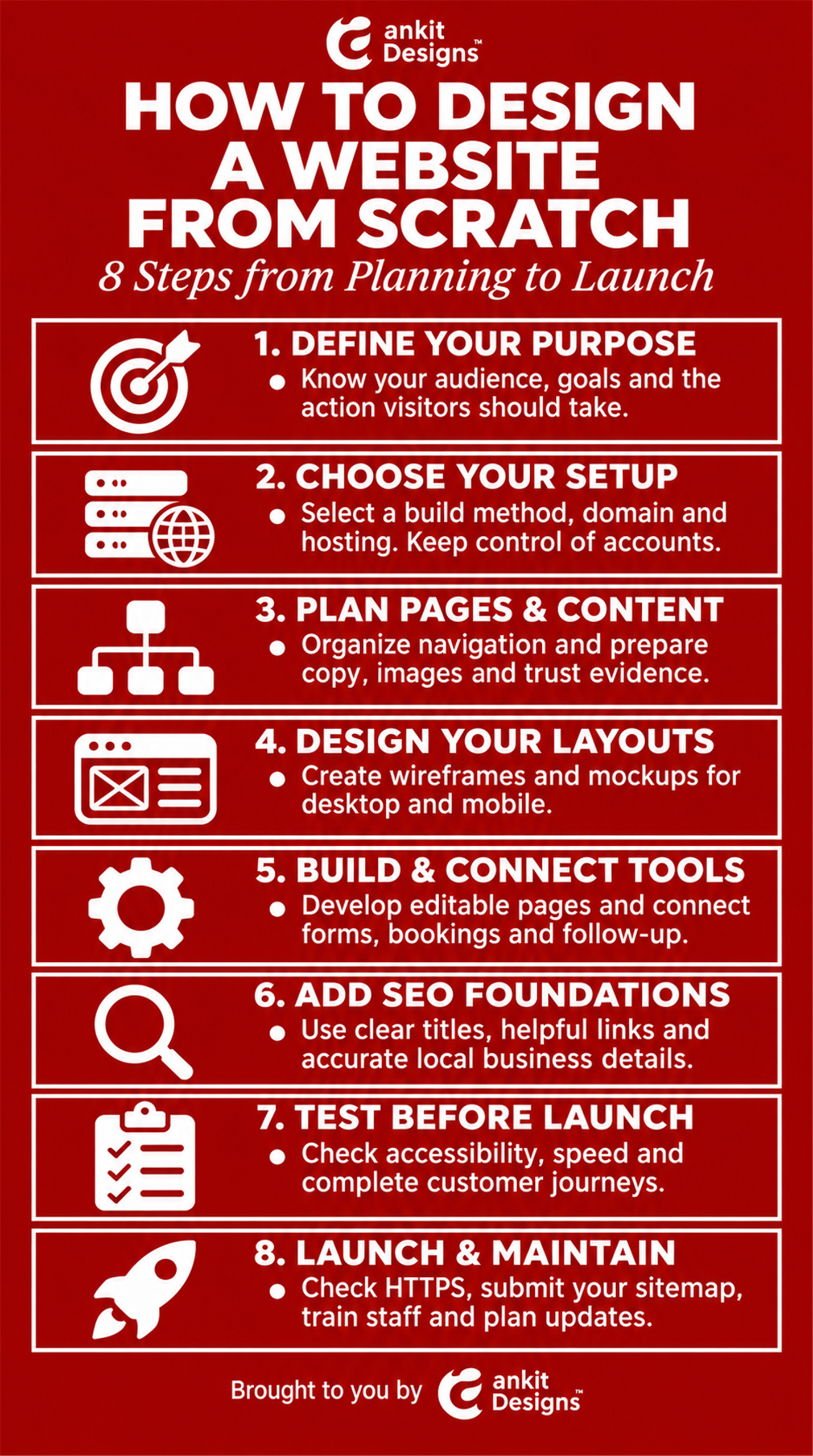
To design a website from scratch, start with your customers and business goals, then plan your pages, prepare content, create layouts, and build the features visitors need. Before launching, test that people can find information and complete actions such as requesting a quote or booking an appointment.
For a Grimsby business, those requirements depend on how you serve customers. A storefront may need clear visiting directions, while a service company needs accurate coverage details. This guide walks through each stage so you can assess the DIY work involved or prepare a clear brief for a professional web design team.

Define Your Website’s Purpose and Audience
Start your website planning checklist by deciding who the site serves and what it needs to accomplish. These decisions give your designer a practical foundation for the pages and features that follow.
Identify Your Customers and Their Questions
Consider what someone needs to know before choosing your business. A retailer’s customers may check product availability, while a contractor’s customers may look for examples of completed work.
Ask your team which questions come up repeatedly by phone or email. Use those answers to prioritize website content.
Set Your Main Website Goal and Next Action
Choose a primary goal, such as generating quote requests, accepting bookings, or selling products. Match the call to action to the process your team can deliver: “Request an Appointment” makes sense when staff must confirm availability.
Define what customers should expect after taking that action, including whether they will receive an immediate confirmation or a staff response.
Choose Your Build Method, Domain, and Hosting
Choose your website tools around the work your business needs to complete. List requirements such as service pages, quote forms, appointment requests, or online sales before comparing options.
Compare DIY Builders, WordPress, and Professional Development
Website builders provide layouts and editing tools you can configure yourself. WordPress is a content management system that supports different hosting and development arrangements. An agency or freelancer can work with either approach, depending on your requirements.
|
Option |
What to assess |
|
DIY website builder |
Editing tools, integrations, subscription costs, and export options. |
|
WordPress website |
Hosting, themes, plugins, maintenance, and staff training. |
|
Professional development |
Planning, content, design, testing, handover, and ongoing support. |
Ask providers to demonstrate the tasks your team needs to perform. When comparing professional website development services, confirm whether the quoted scope includes writing, photography, integrations, and revisions.
Secure Your Domain and Confirm Account Ownership
Your domain name is your website address, while hosting provides the infrastructure that serves its pages. Business email is another service, even when a provider bundles them together.
According to CIRA’s website-building guide, choosing a domain and arranging hosting are separate parts of establishing your website. CIRA For a closer look at the hosting side, read Ankit Designs’ guide to what web hosting is.
Register accounts using business-controlled contact details. Record renewal dates, fees, recovery options, and who can access each service. Before committing, confirm what you can transfer if you change providers.
Plan Your Sitemap and Website Content
A planning sitemap shows which pages you need and how they connect. Give each page a clear purpose so you can identify missing information before design and development begin.
Organize Pages Around Customer Needs
Most small business websites need a homepage, service or product information, an About page, and a Contact page. Add separate service pages when customers need distinct details to make a decision.
Use familiar navigation labels so visitors can predict what they will find. Group related pages together rather than making every page a top-level menu item.
Prepare Copy, Images, and Trust Evidence
Create a content checklist for every planned page:
- Main question: What does the visitor need answered?
- Supporting information: Which details help them decide?
- Evidence: What approved photographs, credentials, or reviews support the page?
- Next action: Should they call, enquire, book, or buy?
Assign someone to prepare each item and someone to approve it. Draft copy before finalizing layouts so important information has enough space.
Obtain permission for customer photographs and testimonials, and check image licences before publication.
Create Wireframes and Design Mockups
With your pages and content planned, decide how each page should work. A wireframe is a basic layout showing where headings, images, information, and buttons belong.
A design mockup adds colours, typography, imagery, and other visual details so you can review the intended appearance before development.
Map the Journey From Homepage to Enquiry
Choose a realistic customer task and follow it through your wireframes. For example, a visitor might open the homepage, select a service, review relevant work, and request a quote. Check that each page answers the questions needed to move forward.
Place calls to action beside useful information. If customers need to understand service coverage before enquiring, make that information easy to find before the form.
Review the journey with someone unfamiliar with your business and note where they hesitate.
Establish Visual Hierarchy and Mobile Layouts
Use size, spacing, and placement to show what matters most. Make headings easy to scan, keep body text readable, and give the main action a clear visual priority.
Review these elements on desktop and mobile:
- Navigation and page headings.
- Images and supporting captions.
- Buttons, links, and form fields.
- Text contrast and spacing.
Ankit Designs’ design process includes reviewing desktop and mobile mockups before development. Use that stage to agree on content order and mobile behaviour before approving the build.
Develop Pages and Connect Business Tools
Development turns approved layouts into working pages. This stage includes setting up navigation, adding content, and building the features your business needs.
Agree on what each feature must do before approving it.
Build Editable Pages for Your Team
Identify the updates staff will make regularly, such as changing opening hours, adding photographs, or publishing service information. Ask your developer to create editing controls that support those tasks while keeping layouts consistent.
Set access according to each person’s responsibilities. Someone updating content may need different permissions from the person maintaining the website.
Connect Forms, Booking Tools, and Staff Follow-Up
Map what happens after a visitor takes action. A quote request might send details to a monitored inbox, create a CRM record, and trigger an acknowledgement.
For each connection, confirm:
- Which information the website collects and where it goes.
- Who receives notifications and handles follow-up.
- Whether a booking is requested or immediately confirmed.
- What happens if a submission or integration fails.
Collect only the information needed for the task, and explain its intended use.
Add SEO Foundations and Useful Local Information
Plan search-friendly content while building your pages. Use clear titles and descriptive headings, and give meaningful images appropriate alternative text.
Ask your developer to check that intended public pages can be crawled and indexed.
Make Important Content Easy to Find
Keep key services accessible through your navigation rather than relying on visitors to search for them. Link from service summaries to detailed pages and use wording that describes the destination.
According to Google’s SEO Starter Guide, logical organization and descriptive links help people and search engines understand your content.
Write for customer questions first. Explain what you offer, who it suits, and how to take the next step.
Include Accurate Grimsby Location and Service Details
Publish accurate contact information and opening hours. For a public-facing storefront, add its verified address, entrance, parking, and collection details where useful. For a business travelling to customers, describe its real service boundaries and any location-based limitations.
For example, a Grimsby retailer offering collection should explain when an order is ready and where customers collect it. Use named streets, neighbourhoods, or landmarks only when they provide accurate, practical directions.
Test Your Website Before Launch
Test the website against the tasks you planned at the start. Give each issue an owner, record the correction, and repeat the test before approving launch.
Include people who are unfamiliar with the site so you can spot instructions that seem clear only to your team.
Check Mobile Usability, Accessibility, and Performance
Review representative pages on phones and desktop browsers. Check menus, text, images, buttons, and forms rather than judging the homepage alone.
Include these accessibility checks:
- Navigate links, menus, and forms using a keyboard.
- Check that the selected control has a visible focus indicator.
- Enlarge text and confirm that content remains usable.
- Review contrast, image alternatives, field labels, and error messages.
As W3C’s accessibility guidance explains, these initial checks can reveal barriers but do not replace a complete evaluation.
Test loading and interaction on different connection speeds. Investigate oversized images, unnecessary scripts, and shifting layouts where they interrupt tasks.
Test Complete Customer Journeys
Follow an enquiry from the service page through submission, acknowledgement, and staff receipt. If your website supports booking or purchasing, test confirmations and failure messages using approved test settings.
Check that tracking records completed actions correctly. A button click alone does not confirm a successful submission or purchase.
Launch, Request Indexing, and Maintain the Site
Launch when the agreed content and functions are ready, and testing issues have been resolved. Confirm who handles publication, who checks the live website, and who responds if something fails.
Complete Live-Site Checks and Search Setup
Connect your domain to the correct hosting environment and confirm that HTTPS works. Save a backup and document how to restore the site if needed.
Repeat critical customer-journey checks on the live website to catch problems introduced during publication.
Verify Google Search Console ownership and submit your XML sitemap, the file listing URLs you want search engines to discover. Request indexing for important pages where appropriate, then monitor whether Google can access them.
An indexing request does not guarantee inclusion in search results or a particular ranking.
Train Staff and Assign Ongoing Responsibilities
Have staff practise routine edits before handover is complete. Document account access, renewal dates, support contacts, and recovery arrangements.
Assign responsibility for:
- Reviewing content and contact information.
- Applying software updates and checking integrations.
- Monitoring backups and testing recovery.
- Investigating broken forms or unexpected errors.
For a WordPress website, clarify which tasks your team handles and which fall under an ongoing service such as CareKit WordPress support.
Should You Design Your Website Yourself or Hire an Agency?
Choose an approach based on your available time, skills, and website requirements. A straightforward site may suit a business owner who can handle the work internally. More complex functionality or limited internal capacity may make professional support useful.
Compare Time, Skills, Functionality, and Support
Estimate the staff hours needed for the stages above, including work after launch. Identify tasks your team can complete confidently and those that need outside help.
Compare proposals against the same deliverables. A subscription, a configured template, and a custom website project can involve very different responsibilities.
Evaluate Relevant Experience and Project Deliverables
Ask a prospective agency to explain its role in relevant projects, how it tests completed work, and what your team receives at handover.
Review examples for requirements similar to yours, such as appointment requests, product catalogues, or staff-managed content. Ask how the provider would address your editing needs and required tools, then confirm the scope in writing.
Frequently Asked Questions
Can You Design a Website Without Coding?
Yes. Visual website builders and content management systems let you create pages without writing code. Custom functionality or integrations may still require development help.
How Long Does Designing a Business Website Take?
The timeline depends on page count, content readiness, functionality, and approvals. A first draft is only one milestone.
Ask for a schedule that allows time for development, testing, revisions, and launch, with responsibilities assigned at each stage.
What Should You Prepare Before Hiring a Web Designer?
Prepare a short brief covering:
- Your services, target customers, and website goals.
- Required pages, forms, booking tools, or sales features.
- Available copy, photographs, branding, and approved reviews.
- Your budget and preferred launch window.
- Who will approve work and manage the website.
If you already control a domain or hosting account, confirm access. Share credentials through an agreed secure method when needed.
Plan Your Grimsby Website With Ankit Designs
Turn Your Website Requirements Into a Clear Project Scope
Bring your requirements together in a project brief, then discuss them with Ankit Designs. The team’s workflow covers discovery, custom mockups, WordPress development, testing, and launch.
Explore Web Design Grimsby or contact Ankit Designs to discuss your project and agree on deliverables, responsibilities, and support.
Ankit Designs
Address: 2355 Derry Rd E Unit 38, Mississauga, ON L5S 1V6
Phone: +18662654810
Get in touch with our team today to schedule a consultation and discover how we can create a website tailored to your business goals.
Share

About the author:
I'm nobody's taxi service but I take pride in driving the bus! Upbeat, energetic serial entrepreneur on the quest to serve and help people. I enjoy long walks on short beaches and adventurous, adrenaline-pumping activities. I'm a normal bloke doing abnormal bloke things!
